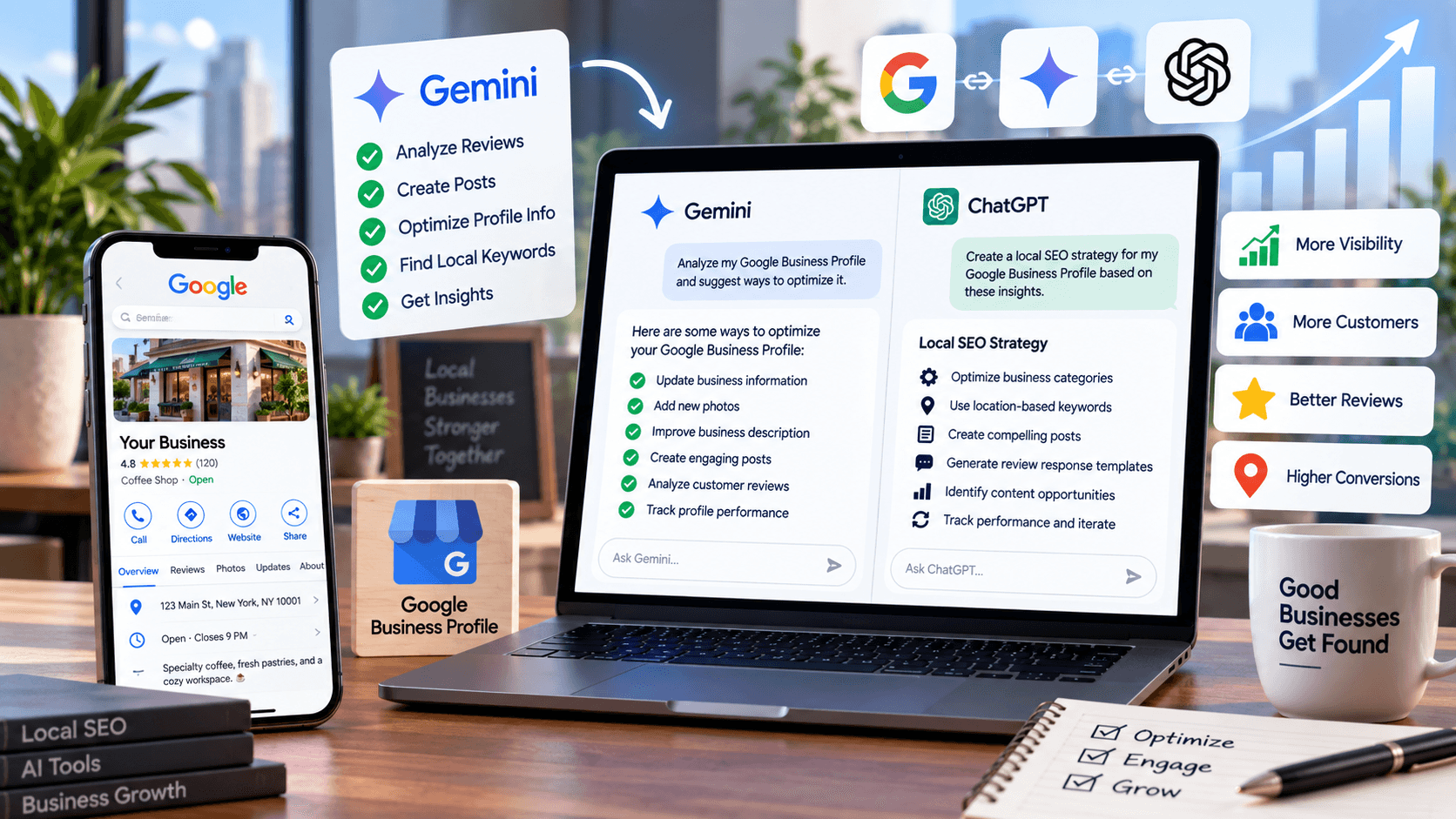
Looking for a local SEO expert to optimize your Google Business Profile? What if we tell you that now you can optimize your business profile by yourself?
Want to know how?
The quick answer is “Using Gemini and ChatGPT”.
AI has made a huge impact on all industries and services. GBP optimization is one of them. You can integrate your Google Business Profile with Gemini and ask it to perform certain tasks, eliminating the need for manual effort. For a more refined solution, you can inject this data into ChatGPT. This will help you create an insightful and result-driven Local SEO strategy.
But wait!
This doesn’t mean that you no longer need a Local SEO expert or Google Business Profile strategist. Because no matter how efficient an AI assistant is. It still needs to be reviewed by an expert to eliminate task repetitions and performance loopholes. At SEO Circular, we combine both manual and automated efforts with our AI SEO Services to build a strategy that can help businesses improve their search visibility and engage their audience.
In this blog, we are going to discuss how you can optimize your Google Business Profile using Gemini and ChatGPT. We will also share some useful prompts that you can use to optimize your GBP.
Before we dig deeper, here are a few things that you need to catch-up!
Improve Your Google Business Profile Visibility
AI can make GBP optimization faster, but strategy and expert review still matter. SEO Circular combines AI-powered workflows with SEO expertise to help businesses improve local search visibility.
Get Started With AI SEOWhat Is the Gemini and Google Business Profile Integration?
The Gemini and Google Business Profile integration allows eligible business owners and managers to interact with their Business Profile conversationally through Gemini.
Once integrated, Gemini can access relevant Business Profile information and help you perform supported tasks on your GBP. According to Google’s current documentation, businesses can use Gemini to:
- Review business attributes
- Manage supported photos and media
- Draft replies to customer reviews
- Create and manage Business Profile posts
- Analyze customer reviews
- Summarize customer feedback
- Review Business Profile performance metrics
- Analyze search keywords customers use to find the business
This means that Gemini has gone beyond just writing content for your GBP. It can increasingly become part of the actual workflow used to manage the profile.
Who Can Use Gemini with Google Business Profile?
The integration isn’t universally available to every Business Profile yet.
Google says it’s rolling out gradually. Currently, eligibility requires you to be
- Owner or manager of one verified Business Profile
- Be at least 18 years old
- Use a personal Google Account associated with that profile.
How to Connect Google Business Profile with Gemini?
Connecting your GBP to Gemini is relatively straightforward if your account is eligible.
Step 1: Open Gemini
Go to the Gemini web app and sign in using the same Google Account associated with your Business Profile.
Step 2: Ask About Your Business Profile
Start with a simple prompt:
“@GoogleBusinessProfile what can you do for me?”
Step 3: Connect Your Profile
If your Business Profile isn’t already connected, Gemini can provide an option to connect to it. Follow the on-screen instructions to authorize the connection.
Step 4: Create a Business Notebook
Eligible users can also create a dedicated business notebook in Gemini.
A business notebook can provide proactive insights and tailored prompts related to your business. It can surface suggestions such as updating missing Business Profile information, adding photos, and reviewing profile performance.
What Can Gemini Do with Your Google Business Profile?
The most useful way to understand this is to ask the Gemini assistant what it can do for you. This integration is broken into four major areas:
- Profile Management
- Customer Engagement
- Performance Analysis
- Optimization Insights
1. Manage Your Business Information with Gemini
Incorrect or outdated business information can create a poor customer experience.
Consider a customer who searches for your business, sees that you’re open, travels to your location, and finds that your actual hours have changed and the GBP is displaying outdated information.
These things might seem like a small detail to you, but they can have a huge impact on your customer’s trust and conversions. Gemini can help you review and update supported Business Profile information conversationally. You can begin with:
“Show all the contact information on my profile.”
Or:
“Show all the links on my profile.”
Or:
“Review all my business attributes.”
Or:
“Show my current location details.”
2. Use Gemini to Audit Your Entire Google Business Profile
One of the most valuable applications of Gemini is turning a basic profile review into an ongoing optimization process. Therefore, instead of checking each section manually, you can assign Gemini a clear role.
Complete GBP SEO Audit
“I want you to act as an expert Google Business Profile SEO Consultant and Local SEO strategist. I have already allowed you to access my Google Business Profile, so do not ask me to manually provide information that you can have by yourself. Analyze my profile, identify any issues or missing information, and tell me exactly what I need to optimize to improve my local search visibility, rankings, and customer engagement.”
In this prompt, rather than just asking Gemini if my profile is complete or incomplete, you are asking it to identify the opportunities from an SEO consultant’s point of view.
However, you can make the prompt even more actionable by adding:
“Divide your recommendations into Critical, High Priority, Medium Priority, and Low Priority. For every issue, explain why it matters and what I should do to fix it.”
3. Ask Gemini to Analyze Your Business Description
Your Business Profile description gives potential customers additional information about what your business does. Try:
“Review my current business description. Tell me whether it clearly explains what my business does, who we serve, what services we offer, and what differentiates us. Identify anything unclear, outdated, repetitive, or unnecessary.”
Once you have provided this prompt, you can then ask the Gemini assistant :
“Rewrite my business description so it is clear, professional, customer-focused, and locally relevant. Do not add information that isn’t supported by my actual business.”
4. Find Out What Customers Are Searching For
Gemini is a smart assistant that can provide access to Business Profile search keywords for eligible connected profiles. You can try this prompt:
“What are the top search keywords customers are using to find my business?”
Or if you need a more detailed search report, you can go deeper:
“Group these search keywords by service, location, customer problem, branded searches, non-branded searches, and high-intent searches. Tell me which keyword themes represent the strongest opportunities for my local SEO strategy.”
“Note”
The important point is that instead of assumptions, these insights come from actual Business Profile search behavior.
5. Use Gemini to Analyze Your Local Search Visibility
You can take the keyword analysis one step further.
Analyze Local Visibility
“Go through my Google Business Profile and tell me where it currently ranks/shows up on Google Search and Google Maps. Check my profile’s visibility for my most important and relevant keywords. Tell me which keywords I am currently ranking for, where I am ranking, and which keywords I should be targeting to improve my local SEO visibility.”
This can help you examine your local visibility, while broader AI search visibility can help you understand how your brand is appearing across newer AI-driven search experiences. Local results are influenced by relevance, distance, and prominence, so local results can vary based on the search context and location. Therefore, Gemini’s analysis should be treated as an optimization aid rather than a guarantee that your business has one fixed position everywhere.
6. Compare Your Google Business Profile with Competitors
Competitor analysis is another area where Gemini can make GBP optimization more efficient.
Competitor Comparison
“Compare my Google Business Profile with my main local competitors and give me a detailed report. Identify what they are doing better than me, including their categories, profile completeness, reviews, ratings, review response activity, photos, posts, services, attributes, and other visible profile elements. Highlight the gaps in my profile and give me specific recommendations for how I can improve my competitive position.”
Remember, your goal should not be to copy your competitor’s strategy. It should be to analyze the gaps and assess the opportunities to rank and perform better. Therefore, you can then ask Gemini to:
“Give me the top 10 GBP optimization actions I should take based on this competitive analysis. Rank them by potential impact and implementation priority.”
This turns competitor research into an actionable checklist.
7. Analyze Every Customer Review with Gemini
Profile reviews can help businesses stand out, deliver reliability, and provide potential customers with useful information about your business. Therefore, responding to reviews and treating customer feedback as an opportunity to engage customers is crucial. But it becomes time-consuming to analyze hundreds of reviews.
Gemini can help summarize and identify themes across your customer feedback.
“Analyze all my Google Business Profile reviews and identify the most common positive themes, negative themes, customer concerns, frequently mentioned services, and recurring customer expectations.”
You can then ask:
“What are the five biggest things customers like about my business and the five most common problems they mention?”
8. Find All Unanswered Google Reviews
Now comes one of the most practical and insightful prompts from your workflow.
“Analyze all the reviews on my Google Business Profile and identify the ones that have not received a response from my business. Create a list showing the reviewer’s name, review date, rating, main topic or issue mentioned, and whether the review appears positive, neutral, or negative.”
This prompt will give you a list of reviews that require your attention. Once you assess the critical reviews, you can prioritize negative and unresolved reviews, recent reviews, detailed reviews, and positive reviews.
9. Ask Gemini to Draft Responses to All Unanswered Reviews
Once you’ve identified all the unanswered reviews from your profile, you can move to the next step.
Draft Review Responses
“Draft me good replies for all of the unanswered reviews. Make every response personalized to the customer’s actual feedback. Keep positive review responses warm and concise. For negative reviews, acknowledge the customer’s concern, remain professional, avoid arguing, and encourage the customer to contact us privately where appropriate. Do not use repetitive wording or keyword stuffing.”
This prompt will prevent Gemini from producing the same generic response for every customer.
For example, if a customer says: “The staff was extremely helpful and explained everything clearly.”
Your response should acknowledge that specific experience.
On the other hand, if another customer says:
“I had to wait much longer than expected.”
The response should address the concern rather than simply saying:
“Thank you for your feedback.”
10. Use Gemini to Improve Your Review Response Strategy
Gemini can also help you comprehend your GBP strategy as it goes beyond simply answering reviews. Use the prompt:
“Analyze my existing review responses. Identify responses that sound repetitive, generic, overly promotional, too long, or insufficiently personalized. Recommend how I can improve my review response strategy.”
This will help you find the patterns in which your business communicates publicly. However, for more information, you can also ask Gemini:
“Create response guidelines for my business so future review responses remain professional, natural, personalized, and consistent with our brand voice.”
11. Use Gemini to Review Your Business Links
Incorrect links can create unnecessary friction for your customers.
Ask your Gemini assistant:
“Show me all the links currently connected to my Business Profile and identify any that appear outdated or incorrect.”
You can review links such as website URL, appointment links, reservation links, ordering links, social links, and other supported action links.
12. Use Gemini to Analyze Your Business Profile Performance
Google’s Business Profile performance data includes metrics such as searches, views, calls, website clicks, directions, messages, and bookings where applicable.
Gemini can help you access KPIs like searches, views, calls, website clicks, directions, messages, and bookings. It interprets supported performance information. All you need is this simple prompt:
“Show me my Google Business Profile performance for the past month.”
For better results, you can try:
“Compare this month’s performance with the previous month and identify the biggest changes in searches, views, website clicks, calls, directions, and bookings. Explain what these changes could indicate and recommend the next three actions I should take.”
How Can ChatGPT Turn GBP Data into a Result-Driven SEO Strategy?
For a more refined GBP optimization strategy, you can use ChatGPT. You can combine these insights with broader AI brand visibility strategies to create a more complete search strategy.
Once Gemini has provided the required tailored information about your profile, ChatGPT can help you use those insights with the rest of your digital marketing strategy.
For example, you can provide ChatGPT with the top search keywords, customer review themes, common queries, competitor gaps, popular services, and other relevant data. Then give a prompt that says:
“Based on this Google Business Profile data, create a 90-day local SEO strategy. Prioritize website improvements, service pages, location pages, FAQs, GBP content, review management, local content, and authority-building activities. Explain why each recommendation matters and organize the plan by month.”
This is where AI becomes much more valuable when combined with Generative AI Optimization Techniques.
You’re not just using it as a ghostwriter. Instead, you are asking it to do much more for you by connecting useful insights with your strategy.
10 ChatGPT Prompts for Google Business Profile Optimization
Once you’ve established the core workflow for your targeted Google Business Profile, you give ChatGPT the essential information and can use the following prompts:
1. Local Intent Mapping
“Map my GBP keywords according to informational, commercial, transactional, navigational, emergency, and local intent. Identify which intent categories need more content.”
2. Service Opportunities
“Analyze my GBP services and identify services that appear to be missing, unclear, duplicated, or poorly described.”
3. FAQ Discovery
“Based on my reviews, services, and search queries, create a list of questions local customers are most likely to ask before contacting my business.”
4. Content Planning
“Create 20 local SEO content ideas based on GBP search queries and customer questions. Prioritize topics that can support commercial intent.”
5. Review Sentiment
“Analyze these reviews and identify recurring positive and negative sentiment themes. Rank the themes by frequency.”
6. Competitor Gap Analysis
“Based on the competitor data provided, identify the biggest GBP optimization gaps between my business and the top competitors.”
7. Conversion Optimization
“Review my Business Profile information and identify opportunities to increase calls, website visits, bookings, and direction requests.”
Create Google Business Profile Posts Using Gemini & ChatGPT
Google Business Profile posts allow businesses to share updates, offers, events, and other information directly with customers on Search and Maps. You can use AI tools like Gemini and ChatGPT to create engaging and valuable posts. All you need to do is simply use this prompt:
“Help me brainstorm 10 Google Business Profile post ideas for my business. Focus on useful information, customer questions, services, seasonal topics, events, and trust-building content rather than repetitive promotional posts.”
Gemini, Google’s product, can help you schedule, publish, and delete supported Business Profile posts.
Once you have asked your chosen AI tool to provide you with ideas, you can now ask it to create a post according to your requirements by using this prompt.
“Create a Google Business Profile post about [topic]. Keep it concise, professional, useful, and relevant to my customers. Include an appropriate call to action.”
Use AI to Manage Business Attributes
Business attributes communicate useful details about a business to its potential audience. Depending on the business category, attributes may include: outdoor seating, Wi-Fi, accessibility information, or other relevant characteristics.
Therefore, rather than manually checking every available option, ask ChatGPT or Gemini:
“Review all my current Business Profile attributes and tell me which ones are missing or should be updated based on my business.”
However, AI can provide you with general suggestions, but you can verify the suggestions by asking it:
“Only select attributes that accurately describe the business.”
Use Gemini to Review Your Business Hours
Business hours are one of the simplest but most important profile elements.
Ask:
“Show me my current business hours and special hours. Identify anything that appears incomplete or inconsistent.”
ChatGPT needs API or third-party tool for integration, but Gemini can directly help you update the business hours on your profile. This is particularly useful around public holidays, seasonal changes, festivals, special events, and temporary closures.
Create a Monthly GBP Optimization Workflow with AI’s Assistance
One of the most prominent uses or benefits of AI is that it makes tasks easy and implementation consistent. You can ask Gemini or ChatGPT to create a monthly plan for your GBP.
Prompt – “Create a monthly Google Business Profile optimization checklist for my business. Include profile information, business hours, attributes, photos, reviews, review responses, posts, search keywords, performance metrics, and competitor monitoring.”
What Should You Ask Gemini and ChatGPT After the First GBP Audit?
Once AI has completed the initial audit of your Google Business Profiles, ask it the following questions:
- Which three problems should I fix first?
- Why are these three issues important?
- Give me step-by-step instructions for fixing each one.
- After these changes are implemented, what should I monitor to determine whether they made a difference?
This will help you create a more focused and impactful conversation rather than a one-time AI response.
Wait! Don’t Scroll Next- There’s a Catch!
As of now, this feature is not available for every owner or manager. If you have access to multiple verified Google Business Profiles, you still need to wait. Currently, only owners of an individual business or agency can sit back and leverage the benefits of automated Google Business Profile Optimization and management.
At SEO Circular, we can help you strategically optimize and manage your multi-location local SEO with an Enterprise SEO Agency approach designed for complex websites and large-scale search programs. Want to know how? Let’s connect!
Frequently Asked Questions
Can Gemini respond to Google reviews?
Gemini can help you draft replies to the reviews of your connected profiles. You can check those reviews and, if you find them helpful, use them on your business profiles.
Can ChatGPT directly access my Google Business Profile?
No, Google does not allow ChatGPT to directly access your Google Business Profile. But you can use third-party integration platforms to link your profile data to ChatGPT.
Can AI guarantee a higher Google Maps ranking?
No. AI cannot guarantee a particular Google Maps or local search ranking. It can only help you improve your Google Business Profile optimization strategies. According to Google, the local results can only be influenced by relevance, distance, and prominence.
Can AI replace a local SEO expert?
AI can automate and accelerate many repetitive tasks, but it does not eliminate the need for strategic execution. Also, AI assistants like Gemini cannot help you manage multiple profiles as efficiently as a local SEO expert.